Context
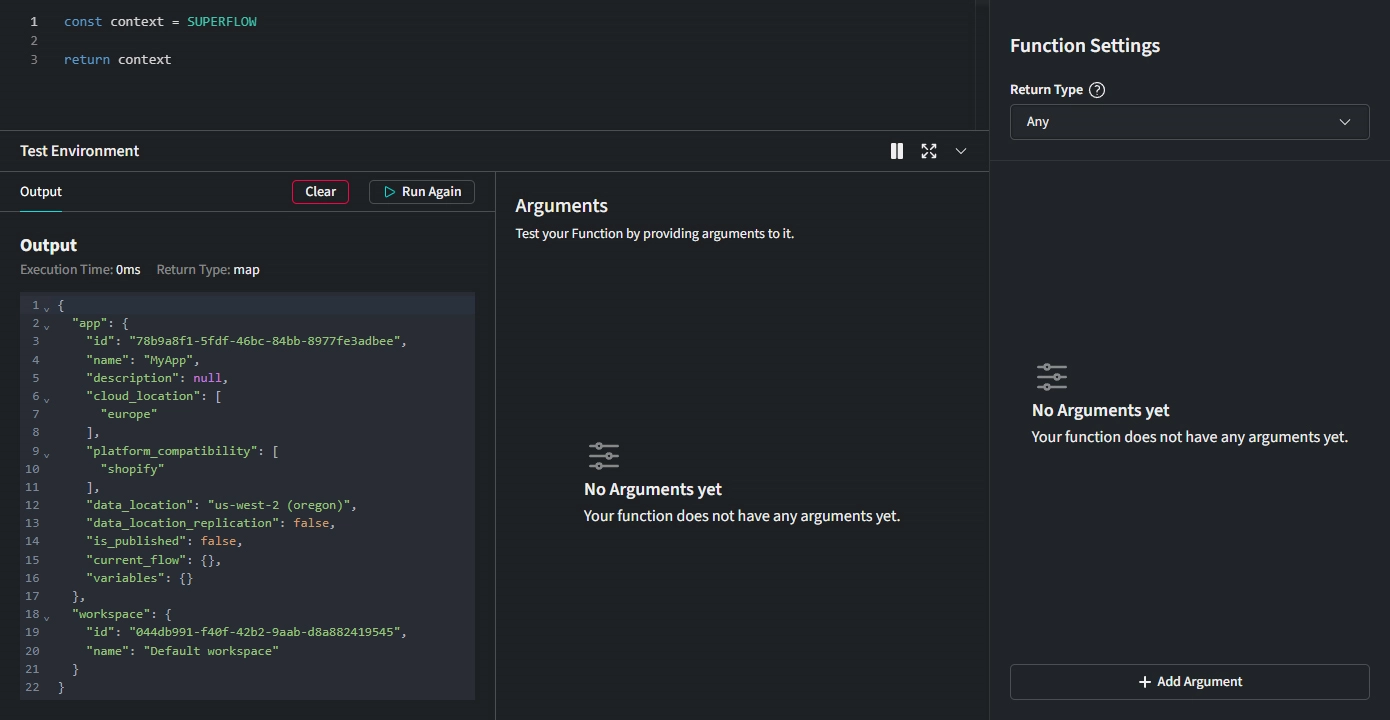
You can access your Function's context through the SUPERFLOW object.
return SUPERFLOW
Example output:
{
  "app": {
    "id": "179b58ac-e56a-487b-8735-97a1f533331",
    "name": "My Superapp",
    "description": "This is the best app built with Superflow",
    "cloud_location": [
      "europe"
    ],
    "platform_compatibility": [
      "shopify"
    ],
    "data_location": "eu-central-1 (frankfurt)",
    "data_location_replication": false,
    "is_published": false,
    "current_flow": {},
    "variables": {}
  },
  "workspace": {
    "id": "3cd1dbac-a6c5-460c-9702-5cf8123a59a8",
    "name": "Default workspace"
  }
}
In this example, the app object contains information about the current Project, and the workspace object contains information about the current Workspace.
Workflow Context
You can also access all data of previous steps of your Workflow provided the Function is executed within the Workflow:
return SUPERFLOW.app.current_flow
{
  "results": {
    "trigger": {
      "url": "https://mytestshop.myshopify.com/",
      "title": "My Testshop - Home",
      "language": "de-DE",
      "country": "Austria",
      "theme": "Dawn",
      "pagetype": "index",
      "loggedIn": true,
      "userid": "123456789",
      "firstname": "John",
      "lastname": "Doe",
      "email": "john@doe.com"
    },
    "actions": {
      "Console Log": {
        "message": "Hello World"
      }
    }
  }
}